
Pace per Mile to Km: Units Without Confusion
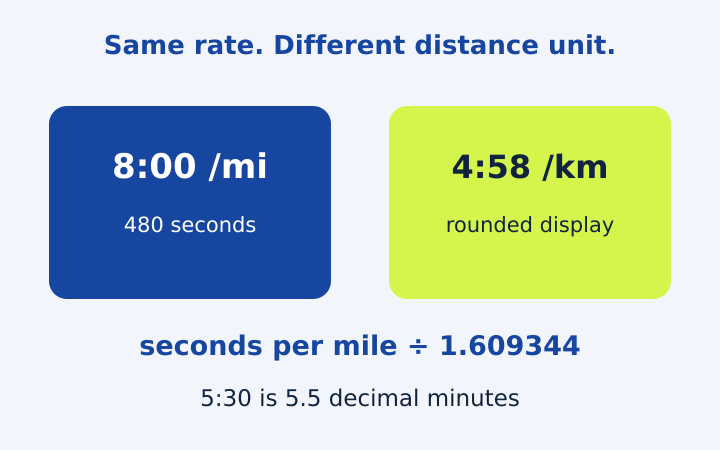
Converting pace per mile to km is a unit conversion, not a new running target. The underlying rate stays the same while the distance unit changes. Because running pace is usually written in minutes and seconds, the conversion needs one careful step before division: turn that clock-style value into seconds. This comparison explains mile pace, kilometre pace, decimal minutes and speed with worked examples, so numbers copied between apps or training notes keep their intended meaning.
Understand why the conversion runs in this direction
One mile is exactly 1.609344 kilometres. If a mile takes eight minutes, each kilometre takes less than eight minutes because a kilometre is shorter. Divide the time per mile by 1.609344 to obtain the time per kilometre. Conversely, multiply time per kilometre by 1.609344 to obtain time per mile. Keeping that physical explanation in mind helps identify an accidentally reversed operation.
For an 8:00/mi pace, first convert eight minutes to 480 seconds. Then 480 divided by 1.609344 is approximately 298.2582 seconds per kilometre. That is four minutes plus about 58.2582 seconds, displayed as 4:58/km. Multiplying the underlying value back by the conversion factor returns 480 seconds per mile, with only ordinary floating-point precision involved.
For 5:00/km, the calculation goes the other way. Three hundred seconds multiplied by 1.609344 gives 482.8032 seconds per mile, displayed as 8:03/mi. The two examples are close but do not describe exactly the same rate. Eight minutes per mile is slightly quicker than five minutes per kilometre. Rounded display labels can conceal these small differences, particularly when a result is converted several times.
Separate minute-and-second notation from decimal minutes
A pace written as 5:30 means five minutes and thirty seconds, totaling 330 seconds. Written in decimal minutes, the same duration is 5.5 minutes. It is not 5.30 minutes: 0.30 of a minute is eighteen seconds, so 5.30 decimal minutes describes 5:18. The difference is twelve seconds for every kilometre or mile represented by the entry.
This notation issue is especially easy to miss in spreadsheets. A column labeled pace might contain text with a colon, a numeric decimal value or a spreadsheet time serial. Those formats need different handling. Before transferring a number, identify its definition and unit. The calculator uses separate minute and second fields so an entered thirty seconds cannot silently become thirty hundredths of a minute.
A decimal example in both directions
Suppose an external note says 8.25 minutes per mile and explicitly means decimal minutes. The quarter-minute is fifteen seconds, so enter 8 minutes and 15 seconds. That gives 495 seconds per mile. Dividing by 1.609344 gives approximately 307.5787 seconds per kilometre, displayed as 5:08/km. If the original note instead meant 8:25/mi, the source would be 505 seconds and the answer would differ.
Compare pace and speed without confusing their direction
Pace measures time per distance. Speed measures distance per time. For kilometres per hour, divide 3,600 by seconds per kilometre. At 5:00/km, this is 3,600 divided by 300, giving twelve kilometres per hour. For miles per hour, divide 3,600 by seconds per mile, giving approximately 7.4565 mph for the same underlying rate.
A quicker rate has a smaller pace value and a larger speed value. A change from 6:00/km to 5:00/km reduces the time needed for each kilometre, while speed rises from ten to twelve kilometres per hour. Comparing numerical percentage changes without accounting for this inverse relationship can be misleading. State whether a percentage refers to time per distance or distance per time.
If a treadmill display or another device reports speed, its reading still needs to be interpreted according to that device’s measurement method. This tool can explain the arithmetic relationship, but it does not calibrate equipment or assess positioning data. A mathematical conversion is only as representative as the source measurement, so avoid presenting a converted label as independent proof that the original measurement was accurate.
Convert distance separately when it appears in a note
Ten kilometres is approximately 6.2137119224 miles. At five minutes per kilometre, the total duration is fifty minutes. The equivalent 8:02.8032 per mile, multiplied by the unrounded mile distance, gives the same duration. This agreement is an important check: changing both distance and pace units should not change the physical journey described by the note.
If you round ten kilometres to 6.2 miles and pace to 8:03 per mile, multiplying those displayed numbers gives a slightly different total. That difference comes from rounding two inputs before calculation. It is not evidence that the conversion factor is inconsistent. For precise arithmetic, retain the original distance and time and convert the underlying values rather than repeatedly using displayed labels.
The pace calculator with mile and kilometre outputs displays both pace units from one calculation. Its distance-unit selector also converts the physical distance in the input field. When importing a number from elsewhere, however, you must still select the unit that belongs to that number. Automatic conversion cannot infer whether an unlabeled 10 originally meant kilometres or miles.
Decide what precision your output needs
Whole-second pace labels are convenient to read. More decimal places can be useful when checking formulas, but they do not make an uncertain distance or time more accurate. Match the explanation to the quality of the source inputs. A route length estimated from a rough map should not be described as precisely measured merely because the calculator carries many digits internally.
Cumulative checkpoints are calculated from the unrounded average and then displayed to the nearest second. A split duration is also rounded for display. Therefore, summing every displayed duration can differ from the final cumulative reading by a small amount. Keep the total row as the result derived from the full entered distance and duration; do not adjust the original time to force rounded labels to add up.
For extremely small inputs, the display may show a very short time even when a positive fractional value exists internally. That is a presentation limit, not a zero-duration route. The software accepts bounded positive values to keep calculations finite, but those software ranges do not certify that a measurement represents a sensible running scenario. Read the input limits on the tool page when examining edge cases.
Keep a conversion note another reader can reproduce
A useful comparison note gives the original value, its unit, the converted value and the rounding convention. For example: source 8:00 per mile; converted approximately 4:58 per kilometre; display rounded to the nearest second. This is more informative than placing two unlabeled numbers beside each other. Include the original duration and distance if the conversion was derived from an activity rather than a stated pace.
The calculator walkthrough shows the same units in a complete distance-time example. When results disagree, compare notation, measurement definitions and display precision before changing the conversion factor. Careful labels usually resolve the confusion faster than trying several calculators with different undocumented inputs.
Frequently asked questions
How do I convert pace per mile to km?
Convert the source to seconds and divide by 1.609344. Convert back into minutes and seconds for display.
Is 5.30 minutes the same as 5:30?
No. 5.30 decimal minutes is 5 minutes 18 seconds. 5:30 is 5 minutes 30 seconds, or 5.5 decimal minutes.
Put the numbers into your own note
Open the pace calculator with your own distance and time. Choose matching units, read the assumptions and copy the even-split note. Treat any race-time model as a scenario, not a promised performance.
More notes from the race deck
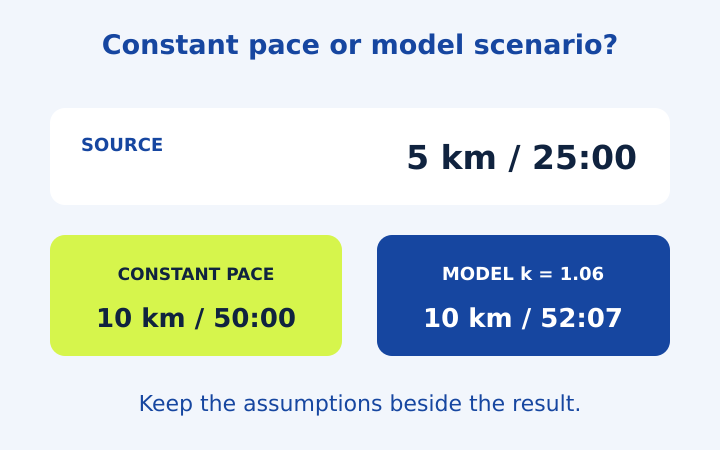
5k Pace and Race Time Predictor Examples
Follow five running arithmetic examples, including 5k pace, partial splits and an optional race-time model with its exponent clearly stated.
Read the note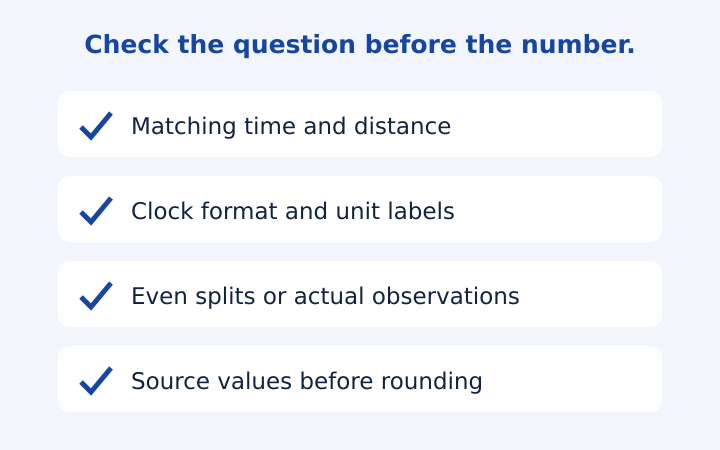
Running Pace Calculation Mistakes to Catch
Catch moving-time mismatches, clock-format errors, unweighted averages and split-table assumptions before saving a running pace result.
Read the note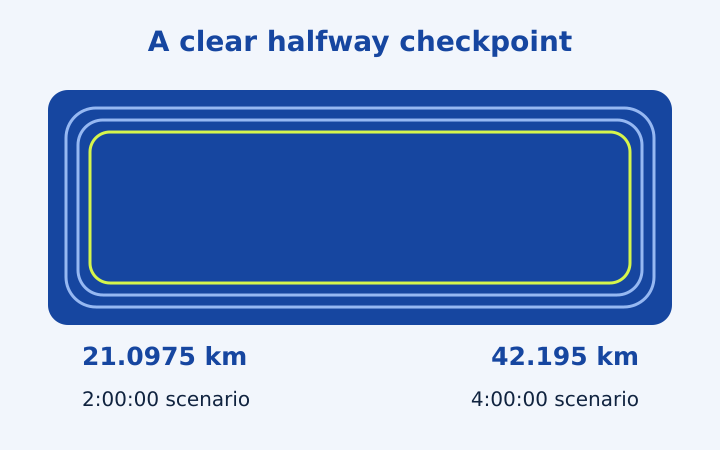
Marathon and Half Marathon Pace Planning
Turn marathon or half marathon finish-time scenarios into average pace and even-distance checkpoints, with partial segments and rounding explained.
Read the note