
Running Pace Calculation Mistakes to Catch
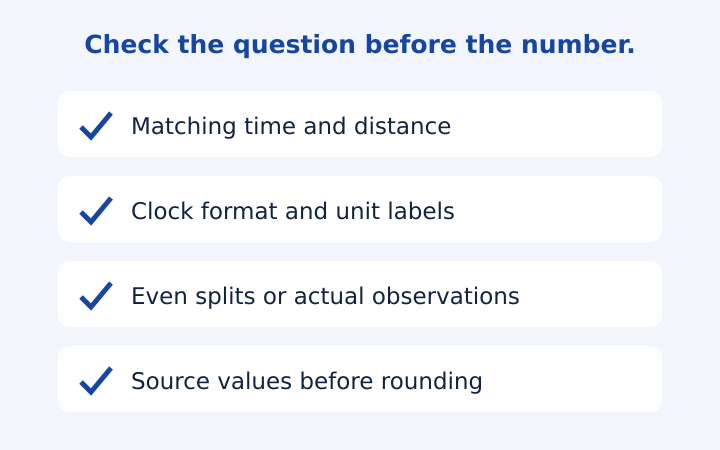
A running pace calculator can return a correct answer to an incorrectly framed question. The formula is simple, but mismatched time definitions, unit mistakes and rounded source numbers can make the result misleading. This checklist focuses on errors you can catch before interpreting a pace or sharing a split table. It uses fictional examples rather than diagnosing device behavior, evaluating fitness or recommending a training response.
Pair the duration with the distance it actually covers
Imagine a route recorded as eight kilometres, but the stopwatch was started after the first kilometre. Dividing the stopwatch duration by all eight kilometres would combine two different intervals. The arithmetic may look plausible, yet the answer would not describe either the complete route or the timed section accurately. Identify the start and end of both measurements before placing them together in one calculation.
A similar mismatch occurs when a lap time is paired with the whole activity distance. A five-minute lap should be divided by the distance of that lap, not by the ten kilometres accumulated throughout the session. Write a short label such as timed segment, full activity or final event result beside the inputs. That label makes the measurement scope explicit without relying on memory after several calculations.
The calculator does not inspect imported files or determine where a timing interval began. Its browser-only workflow uses the values you enter. If the available note is incomplete, a precise displayed number cannot restore the missing context. Ask what the time and distance represent first, and preserve any uncertainty when explaining the resulting pace to someone else.
Avoid mixing moving time and elapsed time
Suppose an eight-kilometre activity spans forty-eight minutes from start to finish, including four minutes stopped. The elapsed average is six minutes per kilometre. Using forty-four minutes of moving time gives five minutes and thirty seconds per kilometre. Both divisions are valid, but the labels describe different definitions of time. A comparison that hides the definition makes the two results appear contradictory.
Decide which definition answers your question, then use it consistently. If you are examining total start-to-finish duration, retain stops in the input. If you are comparing a source’s moving-time measure, identify that source and its definition. The calculator does not implement a moving-time detection rule, so it cannot reproduce another service’s treatment of pauses, low speeds or positioning noise.
Keep event timing definitions visible
An event result may have its own start and finish conventions. Do not replace the published definition with a watch figure merely because one looks more favorable. You can calculate both as separate measurements, but the copied notes should explain their sources. The tool is a worksheet for arithmetic, not an authority deciding which result counts for an organizer, ranking or qualification.
Check clock notation before entering a number
Five minutes and thirty seconds is 5:30, totaling 330 seconds. A decimal value of 5.30 minutes totals 318 seconds. The two differ by twelve seconds per distance unit. If a spreadsheet or message contains a decimal point, establish whether it is a true decimal or an informal substitute for a colon before entering it into the calculator’s separate fields.
The duration fields also enforce their labels: minutes and seconds must stay below sixty, while the hours field holds the larger component. Enter one hour, thirty minutes and zero seconds for an hour and a half. Do not place ninety into the minutes component and expect an automatic correction. Explicit component limits help detect an unintended format rather than quietly interpreting ambiguous input.
An empty required field is not the same as zero. Zero hours can be appropriate for a short duration, but an omitted total duration cannot describe a completed timed interval. Invalid active fields hide previous results and disable copying so a plausible old answer does not remain available after the input has stopped being valid. Correct the highlighted field before saving a new note.
Do not average separate paces without their distances
Consider one kilometre in five minutes followed by three kilometres in eighteen minutes. The segment paces are 5:00/km and 6:00/km. Their simple average is 5:30/km, but the complete four-kilometre duration is twenty-three minutes, giving 5:45/km. The longer segment contributes more distance, so an unweighted average of the two pace labels does not describe the whole activity.
For the overall pace, add the distances and durations, then divide total time by total distance. When all segment distances are equal, an ordinary average of their time-per-distance values agrees with that calculation. The condition matters. Treating equal-duration segments or arbitrary laps as equal-distance segments changes what the average represents.
This same principle explains why averaging speeds and then converting to pace may not reproduce an average of paces. Speed and pace are reciprocal quantities, and the appropriate weighting depends on the question and segment definitions. For a complete activity, the most transparent starting point is the full associated distance and time. Avoid combining already rounded summaries when the original totals are available.
Read the split table as a model, not recorded evidence
The calculator applies the computed average evenly across distance. A ten-kilometre run in fifty minutes therefore produces five-minute kilometre rows. The original run might have included faster and slower sections; the table contains no observations about those sections. Calling its rows actual splits would turn a mathematical reconstruction into a false claim about recorded performance.
The final row may cover only part of a kilometre or mile. For a 5.5-kilometre example at six minutes per kilometre, five full rows total thirty minutes and the final half-kilometre takes three minutes. It would be wrong to expect that shorter row to take six minutes or to omit it when reading the total. Keep the segment label beside its duration.
For exceptionally long distances, the display caps full rows at one hundred and includes a finish row when required. The note states that middle rows are omitted. The gap to the finish is not presented as an ordinary single-unit split. This is a display boundary intended to keep the page responsive; it does not change the underlying total distance or finishing-time arithmetic.
Separate rounding differences from measurement differences
A displayed pace rounded to a whole second may not multiply back to the exact original total. For example, the unrounded mile equivalent of 5:00/km is 8:02.8032/mi. Using the displayed 8:03 introduces a small difference. Keep full underlying values for calculation and use rounded values for reading, rather than changing a source measurement to force all displayed labels into exact agreement.
The guide to mile and kilometre pace conversion develops this distinction with worked examples. A different recorded distance, however, is not merely display rounding. Compare source definitions separately: route length, timing interval, pauses and unit labels. Several differences can coexist, and finding one does not automatically explain the rest.
Before copying from the running pace calculator, read the three main inputs aloud or in a written note: what distance, what time definition and what units. Then state whether the output is average pace, an even-split schedule or an optional model scenario. This small review keeps a technically correct calculation attached to a question it can actually answer.
Frequently asked questions
Can I average two segment paces?
Only the appropriate weighting gives an overall pace. For a whole activity, use total associated time divided by total distance.
Why did an invalid field hide my old result?
The previous result no longer represents the current active inputs. Correct the highlighted entry before copying a new note.
Put the numbers into your own note
Open the pace calculator with your own distance and time. Choose matching units, read the assumptions and copy the even-split note. Treat any race-time model as a scenario, not a promised performance.
More notes from the race deck
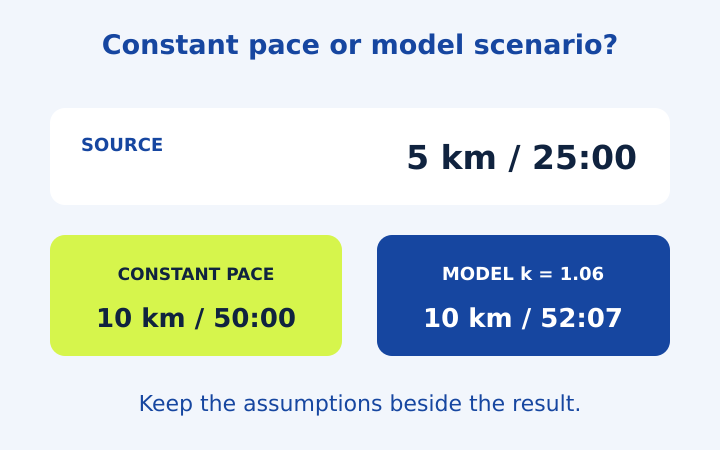
5k Pace and Race Time Predictor Examples
Follow five running arithmetic examples, including 5k pace, partial splits and an optional race-time model with its exponent clearly stated.
Read the note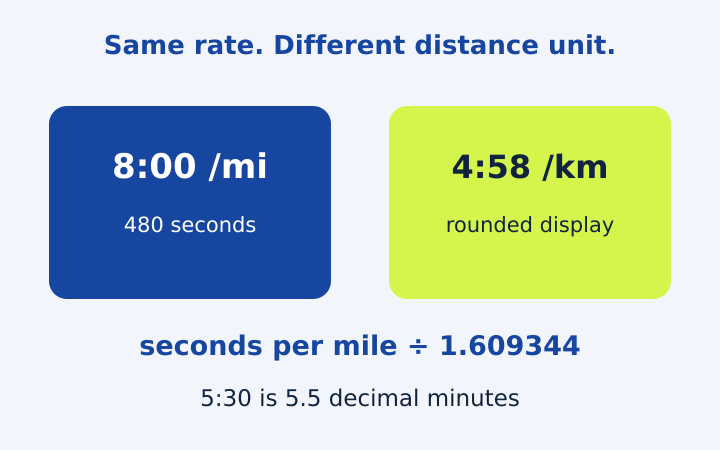
Pace per Mile to Km: Units Without Confusion
Convert mile and kilometre pace accurately, distinguish clock notation from decimal minutes, and compare pace with speed using worked examples.
Read the note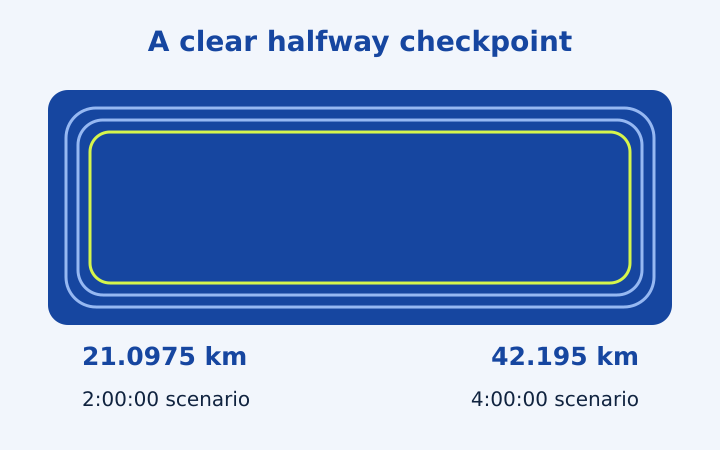
Marathon and Half Marathon Pace Planning
Turn marathon or half marathon finish-time scenarios into average pace and even-distance checkpoints, with partial segments and rounding explained.
Read the note