
How to Use a Pace Calculator
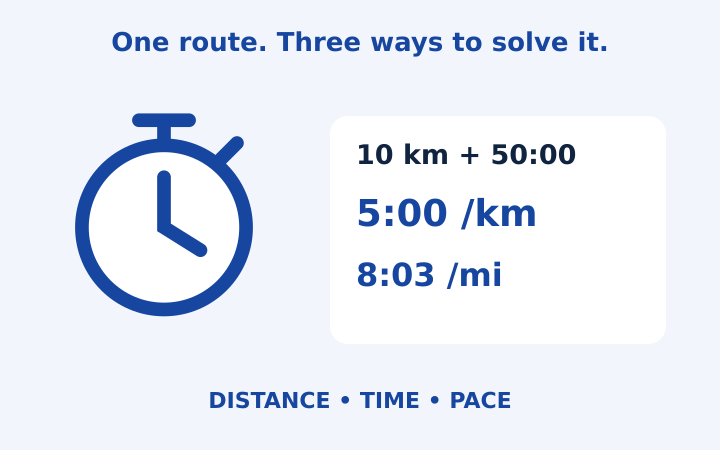
A pace calculator connects three familiar running numbers: distance, elapsed time and average pace. If you know any two, straightforward division or multiplication supplies the third. The difficult part is often entering the right kind of time, choosing matching units and interpreting the answer without adding promises that the arithmetic cannot support. This walkthrough follows a fictional ten-kilometre result, then uses the same relationship to calculate a finishing time and a distance. You can repeat each step in RunPacePilot without an account or an uploaded activity file.
Start with a distance and a clear time definition
Suppose your note says ten kilometres completed in fifty minutes. Enter 10 in the distance field and select kilometres. Choose the mode that calculates pace, then put zero hours, fifty minutes and zero seconds in the duration fields. The separate fields matter because fifty minutes is not the decimal number 0.50 hours. Keeping the components separate removes that particular ambiguity before the calculation begins.
Decide what the fifty minutes represents. It could be the interval between starting and finishing, including stops, or a moving-time figure supplied by another device. Both can be divided by distance, but they describe different measurements. The calculator cannot detect which one you meant. Write the definition beside your copied result, especially when comparing several activities or explaining a difference between a watch and an event result.
Use the distance associated with that time. A stopwatch interval for only the middle section of a route should not be paired with the full route length. Similarly, a recorded ten-kilometre activity and a planned ten-kilometre course may be different inputs even when their labels look alike. The tool performs arithmetic on the entered measurement; it does not inspect a route, certify its length or correct a positioning trace.
Read the pace in two equivalent units
The fifty-minute example contains 3,000 seconds. Dividing by ten kilometres gives 300 seconds per kilometre, displayed as 5:00/km. Multiplying that unrounded value by 1.609344 gives 482.8032 seconds per mile, displayed as 8:03/mi after rounding to the nearest second. These are two descriptions of the same average rate, not two different performances.
Notice that the mile result is calculated from the full underlying value. It is not calculated by repeatedly rounding intermediate steps. If you later multiply the displayed 8:03 by a long distance, the answer may differ slightly from the original calculation because the display has discarded fractions of a second. That is expected display precision, and it is a useful reason to keep the original distance and duration in your note.
The result also includes speed. Ten kilometres in fifty minutes is twelve kilometres per hour. Speed counts distance per time, while pace counts time per distance. Their numerical direction is opposite: a smaller minutes-per-kilometre number means a larger kilometres-per-hour number. You do not need to use speed to read a running split, but seeing both values can help catch a misplaced unit or an entry error.
Use the split table as an even-distance schedule
Choose kilometre splits for this example. The first cumulative checkpoint is 5:00, the second is 10:00 and the tenth is 50:00. Each complete kilometre takes five minutes because the table applies the average pace evenly. It is a mathematical schedule, not a reconstruction of how the fictional runner actually moved through the course.
If you select miles, the checkpoints change position while the underlying run remains the same. Six complete miles account for most of ten kilometres, followed by a shorter final segment. That final segment takes less time than a full mile. Its cumulative finishing time still corresponds to the whole entered duration. Read the final-segment label rather than assuming every row covers an identical distance.
Keep cumulative and individual split times separate
The cumulative column measures time since the start. The split-duration column measures only the interval represented by that row. At kilometre four, the cumulative time is twenty minutes, while the individual split is five minutes. Adding cumulative values together would count earlier sections repeatedly. For a printed note, keep the column headings visible so a standalone number does not lose its meaning.
Change the unknown instead of rearranging numbers yourself
Now choose the mode that calculates time. Keep ten kilometres as the distance and enter five minutes, zero seconds per kilometre as the pace. The result is fifty minutes again. This mode is useful when you have selected a hypothetical pace and want to understand what total time follows from it. It does not judge whether that pace is suitable for a particular person or event.
For a different arithmetic example, enter five kilometres at six minutes per kilometre. Multiplying five by six gives thirty minutes. You can check this mentally before trusting the result. Simple independent checks are valuable because a perfectly functioning calculator will still produce the wrong interpretation when the user accidentally selects miles or enters a duration in the wrong field.
Choose the distance mode when time and pace are known. Forty minutes at five minutes per kilometre produces eight kilometres. Here distance is calculated, so the previous distance entry is not an active input. The interface shows the fields relevant to each mode. Changing the unknown is a clearer workflow than trying to manipulate an old result while leaving several unrelated settings active.
Convert units without changing the physical example
Switching the distance unit converts the number in the field so the physical distance remains the same. Ten kilometres becomes approximately 6.2137119224 miles. It should not remain ten after a unit change, because ten miles would describe a longer route. Check the number and the label together whenever you change a unit or paste a number from another source.
The pace-unit switch also preserves the underlying rate, using the appropriate mile-to-kilometre relationship. The fields retain more precision than a whole-second display can show, which reduces drift during ordinary editing. Still, repeated manual copying of rounded values can introduce small differences. The guide to pace per mile to kilometre conversion explains why the minute-and-second format needs special care.
The preset buttons enter common race distances in whichever distance unit is currently selected. They are shortcuts for a measurement, not performance recommendations. After selecting a preset, review the active time or pace before reading the answer. A time left over from a previous distance can create a striking result that is mathematically correct but unrelated to the scenario you meant to explore.
Save a useful note and recognize the limits
Use Copy results to place a plain-text summary and split table on your device clipboard. The calculator does not upload its fields, store a calculation history or create an account. Clipboard contents are handled by your device and any application where you paste them. If browser permission is unavailable, a selectable text area provides the same note for manual copying.
A useful saved note includes the distance, units, time definition and whether the table represents even splits. It also keeps an optional race-time estimate clearly labeled as a model. The article on running pace calculation mistakes offers a compact review of the most common interpretation errors. The number is most useful when another reader can reconstruct exactly what you entered and what you intended it to mean.
Frequently asked questions
What inputs do I need?
Choose the unknown, then enter the other two quantities: distance, duration or pace. Match the time interval to the distance it covers.
Is the split table a record of my run?
No. It applies the calculated average evenly over distance. It does not contain recorded lap observations.
Put the numbers into your own note
Open the pace calculator with your own distance and time. Choose matching units, read the assumptions and copy the even-split note. Treat any race-time model as a scenario, not a promised performance.
More notes from the race deck
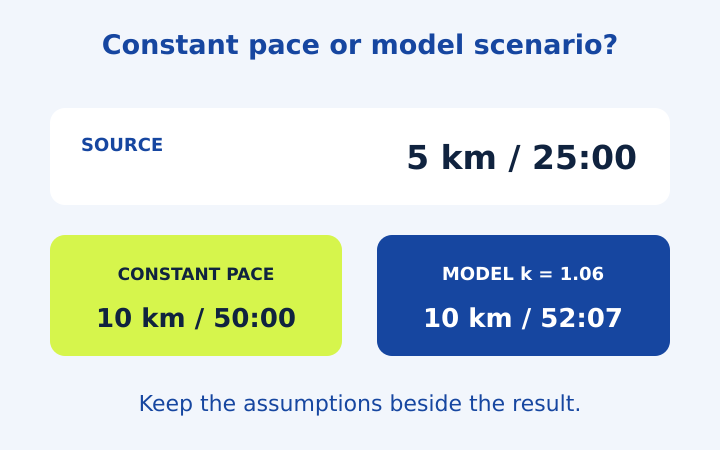
5k Pace and Race Time Predictor Examples
Follow five running arithmetic examples, including 5k pace, partial splits and an optional race-time model with its exponent clearly stated.
Read the note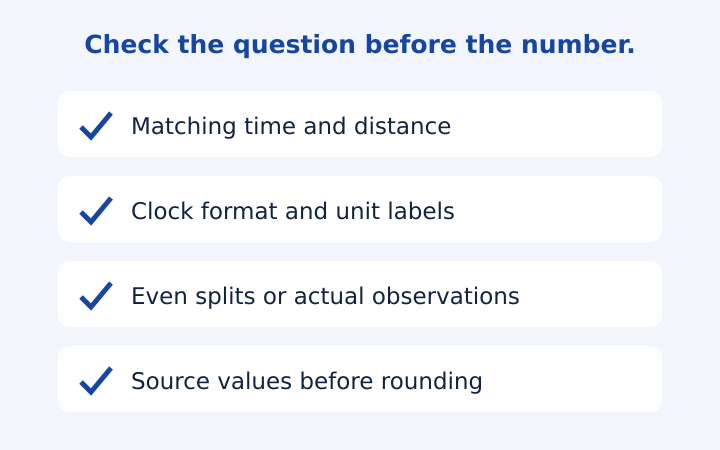
Running Pace Calculation Mistakes to Catch
Catch moving-time mismatches, clock-format errors, unweighted averages and split-table assumptions before saving a running pace result.
Read the note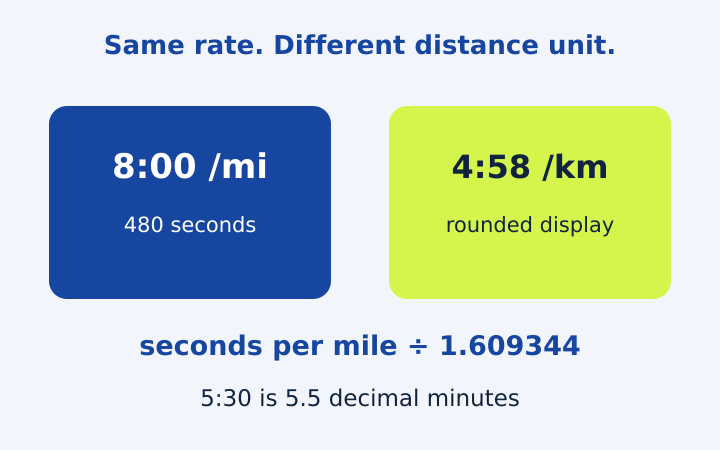
Pace per Mile to Km: Units Without Confusion
Convert mile and kilometre pace accurately, distinguish clock notation from decimal minutes, and compare pace with speed using worked examples.
Read the note